
Sweepstakes Casino Login Problems: Troubleshooting Access Issues
 Available in GB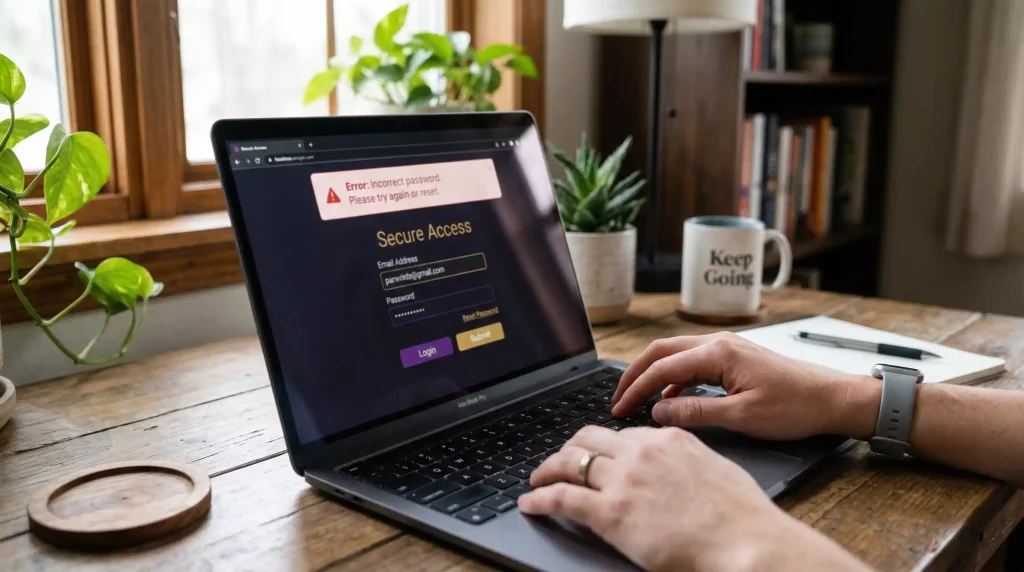
Common Login Error Messages
Login problems at sweepstakes casinos frustrate players trying to access their accounts and gaming entertainment. Understanding common error messages helps you diagnose issues quickly and apply appropriate solutions.
Invalid credentials errors indicate username or password mismatches. Before assuming your password is wrong, verify you’re entering the correct email address or username. Account identifiers sometimes differ from what you expect—especially if you registered through social login and later attempted email-based access.
Account locked messages appear after multiple failed login attempts or when platforms detect suspicious activity. Security systems lock accounts proactively to prevent unauthorized access. Locked accounts typically require password resets or support intervention to restore access.
Geographic restriction errors indicate your current location falls outside the casino’s service area. Six states restricted sweepstakes operations during 2026 according to Gambling Insider, and additional restrictions continue emerging. If you’ve moved or are traveling, location-based blocks may prevent login regardless of account standing.
Session timeout errors occur when login attempts take too long or when connections interrupt during authentication. These typically resolve by refreshing the page and attempting login again with stable internet connectivity.
Maintenance mode messages indicate temporary platform unavailability. Scheduled maintenance often occurs during low-traffic hours; unscheduled downtime might indicate technical issues being resolved. Check official social media channels or status pages for maintenance information and expected restoration times.
Password-Related Solutions
Password problems cause most login failures. Several approaches address various password-related access issues.
Password reset processes restore access when you’ve forgotten credentials. Look for “Forgot Password” links on login pages. Enter your registered email address to receive reset instructions. Follow email links to establish new passwords. This process typically completes within minutes if your email delivery works properly.
Reset emails not arriving indicates email delivery issues. Check spam and junk folders before assuming non-delivery. Verify you’re checking the correct email account—the one used during registration. Some email providers delay or block messages from certain senders; try adding the casino’s domain to your contacts or safe sender list.
Password manager conflicts sometimes cause login failures. Auto-filled credentials might include incorrect information, extra spaces, or outdated passwords from previous versions. Manually entering credentials confirms you’re submitting exactly what the system expects.
Browser-saved passwords may become outdated after resets. Clear old saved credentials and enter new passwords manually, then allow the browser to save updated versions. Old cached passwords attempting authentication after resets cause unnecessary login failures.
Case sensitivity matters for passwords at most platforms. Ensure caps lock isn’t accidentally engaged and that you’re matching the exact capitalization used when creating or resetting passwords.
Account-Specific Access Problems
Some login issues stem from account status rather than credential problems. Recognizing these situations helps you pursue appropriate solutions.
Suspended accounts block login until issues resolve. Suspensions result from suspected fraud, terms violations, verification failures, or investigation triggers. Suspension messages should indicate reasons and resolution paths; if unclear, contact support for explanation.
Verification-pending status may limit account access. Platforms increasingly require identity verification before allowing full account functionality. Incomplete verification might restrict login or limit features until documentation requirements are satisfied.
Duplicate account detection causes problems when platforms identify multiple accounts associated with one person. Terms universally prohibit multiple accounts; detection typically results in all but one account being restricted. If you inadvertently created duplicates, contact support to consolidate accounts properly.
Aged inactive accounts sometimes face access restrictions. Platforms may apply dormancy policies that limit or close accounts showing extended inactivity. Reactivation processes vary; support contact usually initiates recovery procedures.
Payment-related holds occasionally affect account access. Failed transactions, disputed charges, or outstanding balances might trigger account restrictions until financial issues resolve.
Technical Troubleshooting Steps
Technical problems unrelated to credentials or account status also cause login failures. Systematic troubleshooting isolates and resolves these issues.
Clear browser cache and cookies. Accumulated cached data sometimes conflicts with current platform versions. Clearing this data forces fresh page loads that may resolve mysterious login failures. Be aware that clearing cookies logs you out of all sites and requires re-entering credentials everywhere.
Try different browsers. Browser-specific compatibility issues occasionally prevent proper authentication. If login fails on Chrome, try Firefox or Safari. Successful login on alternative browsers confirms browser-specific problems worth investigating further.
Disable browser extensions temporarily. Ad blockers, privacy tools, and security extensions sometimes interfere with login processes. Disabling extensions during login attempts identifies whether conflicts exist. If extensions cause problems, whitelist the casino site rather than permanently disabling useful tools.
Check internet connectivity stability. Weak or intermittent connections can disrupt authentication processes mid-completion. Try login from different networks—mobile data if Wi-Fi fails, or different Wi-Fi networks if available.
Verify site authenticity. Phishing sites mimicking sweepstakes casinos capture credentials without providing actual access. Ensure you’re accessing legitimate casino URLs directly rather than through suspicious links. Bookmark official sites to avoid navigation to fraudulent alternatives.
Test on different devices. Device-specific issues—outdated operating systems, corrupted app installations, problematic mobile browsers—may prevent login that works fine elsewhere. Successful login on alternate devices confirms the problem resides with your primary device.
Mobile-Specific Login Issues
Mobile access introduces additional potential problem points beyond desktop browser issues. Several mobile-specific considerations affect login success.
App updates may be required for continued access. Outdated app versions sometimes lose compatibility with current platform systems. Check app stores for available updates if login fails on mobile apps that previously worked.
Mobile browser differences from desktop versions occasionally cause compatibility issues. Some platforms work better through dedicated apps than mobile browsers, or vice versa. Try both access methods to identify which works more reliably.
Operating system versions affect compatibility. Very old iOS or Android versions may no longer support current platform requirements. System updates might resolve login issues while also providing security benefits.
Biometric login failures—Face ID or fingerprint authentication—require fallback to password entry. If biometric systems malfunction, apps should offer traditional credential entry as alternatives. Locate these options rather than repeatedly attempting failed biometric authentication.
Location services settings affect geographic verification. If mobile apps request location access, enabling this permission may resolve login blocks related to geographic eligibility determination.
When to Contact Support
Self-service troubleshooting resolves most login issues, but some situations require support intervention. Recognizing when to seek help prevents wasted effort on problems you cannot solve independently.
Account lockouts persisting after standard reset attempts need support attention. If password resets don’t restore access and you’re certain about account details, support can investigate backend issues preventing authentication.
Unexplained restrictions without error messages require support diagnosis. When login fails without informative feedback, support access to account records reveals what’s blocking access.
Disputed account status—if you believe suspensions or restrictions are erroneous—necessitates support review. Automated systems make mistakes; human review can correct improper restrictions when evidence supports your case.
Technical issues persisting across all troubleshooting steps suggest server-side problems. If nothing resolves login failures, the issue may reside with the platform rather than with your credentials or equipment.
Major platforms like High 5 Casino, serving over 30 million members according to VegasInsider, maintain professional support operations capable of resolving complex access issues. Smaller operators may offer less responsive support, but legitimate platforms should eventually address valid account access concerns.
Document your troubleshooting efforts before contacting support. Explaining what you’ve already tried helps agents focus on untested solutions rather than repeating standard steps. Efficient support interactions resolve issues faster, restoring your access to sweepstakes entertainment.
Sweepstakes Casino Login Problems — More on this topic at sweepstakes casino login.
See also Sweepstakes Casino Bonus Comparison 2026.